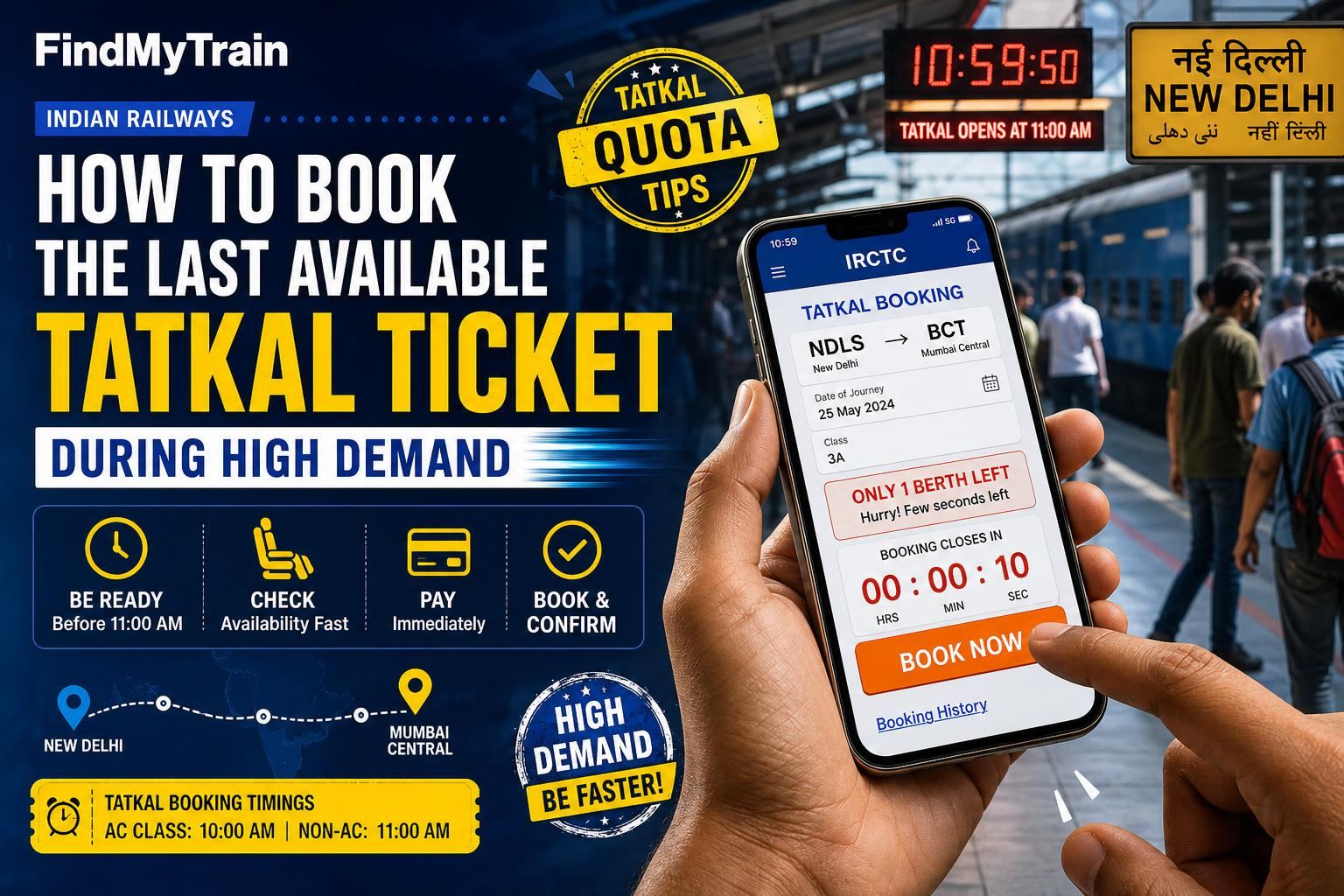
When Tatkal tickets are almost sold out and demand is high, speed and precision are everything. Here’s exactly how to book the last available Tatkal seat on IRCTC or its official app, and what to do if you see ‘WL 1’ or ‘Booking Not Allowed’.
Short Answer: Move Fast, Use Autofill, Pay Instantly
Log in to IRCTC before Tatkal opens (10 AM for AC, 11 AM for Sleeper), have passenger and payment details ready, use autofill or a saved profile, and pay with UPI or a wallet for the quickest processing. If the ticket shows ‘Available 1’, book it right away—don’t refresh or hesitate.
Step-by-Step: Booking the Last Tatkal Ticket on the IRCTC Website or App
- Log in ahead of time: Open the IRCTC website or app at least 10 minutes before Tatkal opens. Complete the CAPTCHA and security steps. If you’re not logged in, you will lose time.
- Search quickly: Enter your source, destination, and date. Tap ‘Find Trains’. On the results, find your train and select ‘Tatkal’ quota.
- Select your class: Click on the class (e.g. SL, 3A) showing ‘Available 1’ or the smallest number.
- Fill passenger details instantly: Use the ‘Select Passenger from Master List’ if you have it set up, or type names, ages, and ID numbers. Skip food/catering if you’re short on time.
- Payment method: Choose UPI, IRCTC wallet, or a payment option that requires no extra authentication. Debit/credit cards can take longer due to OTP delays.
- Confirm and pay: Click ‘Book Now’, confirm details, and immediately complete the payment. Don’t review the details twice if you’re sure.
If You See ‘WL 1’ or ‘Booking Not Allowed’
If the last seat was taken a second before you, the status may show:
- WL 1: You can still book, but your ticket is waitlisted. There’s a chance it may not confirm. See PNR status and refund rules if you want to cancel later.
- Booking Not Allowed: All Tatkal seats and waitlists are full, or the booking window has closed for that train/class.
If you get a payment failure after clicking ‘Book Now’, do not refresh the page. Instead, check your email/SMS for a booking confirmation. If not received, check your PNR status or IRCTC ‘Booked Ticket History’. The seat may have gone to another user while you were paying.
What Slows You Down (And How to Fix It)
- Typing passenger info from scratch: Set up the ‘Master List’ in your IRCTC account beforehand to auto-fill all details.
- OTP delays on payment: Use UPI or IRCTC wallet, which are usually faster than card OTPs.
- Slow internet: If possible, use a 4G/5G connection or fast Wi-Fi. Avoid public Wi-Fi at stations if it’s unreliable.
- Multiple tabs or devices: Avoid logging in from more than one device. IRCTC logs out duplicate sessions.
Tatkal Booking Timings and Key Rules
| Class | Booking Opens | Quota |
|---|---|---|
| AC (2A/3A/CC/EC/1A) | 10:00 AM, day before travel | Tatkal |
| Sleeper (SL) | 11:00 AM, day before travel | Tatkal |
There is no Tatkal for General class (2S or unreserved), and you can only book up to 4 passengers per Tatkal ticket.
If Payment Fails or Booking Is Not Confirmed
- Don’t retry instantly: Check your account’s ‘Booked Ticket History’ first. If the ticket was not booked and the amount was debited, it will usually be auto-refunded within 2-7 days; see refund rules for details.
- If booking is stuck at payment: Wait for a message from IRCTC. If you retry and the seat is gone, you may only get a waitlisted ticket.
- If money is not refunded in a week: Raise a TDR (Ticket Deposit Receipt) online through IRCTC, or contact their customer care.
Alternatives If All Tatkal Seats Are Gone
- Check for Premium Tatkal quota (if available) on the same train—this is more expensive but sometimes not filled.
- Look for the same route on another train or a different class with Tatkal availability.
- Try for General Waitlist (GNWL) on non-Tatkal quota, but confirmation is not guaranteed if the waitlist is already long.
- Check for ‘Current Booking’ at the station after chart preparation, but this is only for last-minute seats and not online.
How Tatkal Charges Work for the Last Ticket
| Class | Tatkal Fee (approx.) | Refundable? |
|---|---|---|
| Sleeper (SL) | ₹100-₹200 | No, unless full waitlist on charting |
| AC 3A | ₹300-₹400 | No, unless full waitlist on charting |
| AC 2A | ₹400-₹500 | No, unless full waitlist on charting |
Note: Exact Tatkal charges depend on distance and class. Check the IRCTC fare breakdown before payment.
Frequently Asked Questions
What time does Tatkal booking open for AC and Sleeper classes?
Tatkal booking opens at 10:00 AM for AC classes (1A, 2A, 3A, CC, EC) and 11:00 AM for Sleeper (SL) class, one day before the train's departure from its origin.
Can I book the last Tatkal ticket for more than one passenger?
You can add up to 4 passengers per Tatkal ticket, but if only 1 seat is shown as available, only one passenger will get a confirmed berth. The rest go on waitlist.
What happens if I pay but the last Tatkal seat is gone?
If your payment goes through but the seat is gone, you may get a waitlisted ticket. If booking fails entirely, your money is usually auto-refunded within a few days.
Is Tatkal fee refunded if my ticket remains waitlisted?
If your Tatkal ticket remains waitlisted after chart preparation, the full fare, including Tatkal charges, is refunded automatically to your payment source.
Can I book Tatkal tickets from both the IRCTC website and app?
Yes, you can book from either the official IRCTC website or their app. The process and speed are similar, but app users sometimes report fewer CAPTCHA delays.