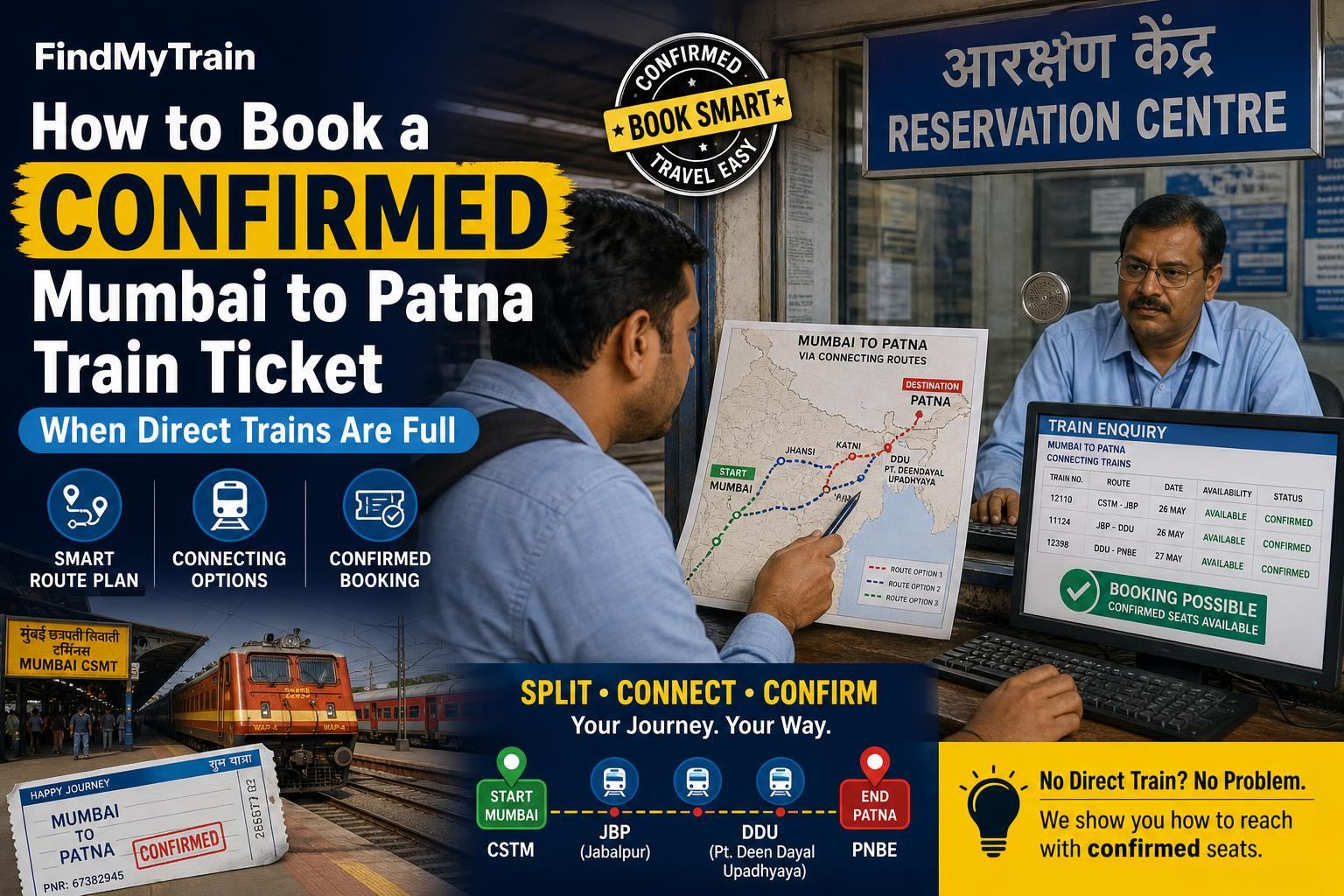
If every direct Mumbai–Patna train is waitlisted or not available, you still have options. Try connecting different trains, breaking your journey at junctions, or booking tatkal tickets. Here’s how to actually do it—fast.
First, Check for Tatkal and Premium Tatkal Seats
Go to the IRCTC app or website. Choose Mumbai CSMT or LTT as your source, Patna Jn (PNBE) as destination, and check availability for Tatkal (opens 10:00 AM for non-AC, 11:00 AM for AC classes, one day before travel). If shows only waitlist or high fares:
- Try Premium Tatkal: These are dynamic fare (costlier) but sometimes available when Tatkal is full.
- If no confirmed seats, move to the next strategy below.
Break Journey: Use Connected Trains via Major Junctions
Most Mumbai–Patna trains pass through key junctions like Itarsi, Jabalpur, Prayagraj, or Mughalsarai (Pt. Deen Dayal Upadhyay Jn). Instead of searching for Mumbai–Patna direct, search in two legs:
- Leg 1: Book Mumbai to a major junction (e.g., Mumbai to Jabalpur or Prayagraj).
- Leg 2: Book a different train from that junction to Patna.
To do this on IRCTC app/website:
- First, search Mumbai to Jabalpur on your date. Note train timings and arrival time.
- Then, search Jabalpur to Patna for trains departing after your first train's arrival. Book the best available.
If you’re not sure which junctions work best, try:
- Itarsi Jn (ET)
- Jabalpur (JBP)
- Prayagraj Jn (PRYJ)
- Mughalsarai/DDU (DDU)
Some apps and websites allow “via station” search—use this to see indirect routes. If using IRCTC, you must book both legs separately.
If You Don’t Get a Confirmed Ticket on Either Leg
If one leg is waitlisted, try these:
- Change your break point to another junction.
- Try a different class (e.g., Sleeper instead of 3A, or vice versa).
- Check for late-night, early-morning, or odd-hour trains—these fill last.
If both legs are waitlisted, repeat this process with other major junctions or by splitting the journey into three legs (e.g., Mumbai–Itarsi, Itarsi–Mughalsarai, Mughalsarai–Patna).
Try Nearby Source or Destination Stations
Sometimes, trains from (or to) nearby cities have seats even if Mumbai–Patna is packed. Try these:
- Start from Kalyan (KYN), Nashik (NK), or Bhusaval (BSL) instead of Mumbai.
- End at Mokama (MKA), Ara (ARA), or Buxar (BXR) instead of Patna Jn.
You may need to take a short local or road trip at either end, but confirmed tickets are often available this way.
Check Special Trains and Festival/Seasonal Services
Indian Railways runs special trains during high-demand periods (festivals, holidays, exam season). These often fill last because not all users know about them. On the IRCTC app/website, use the "Special Trains" section or search for trains by number series like 0xxxx or 8xxxx.
Check our cancelled-trains page to avoid last-minute surprises with special trains.
Don’t Ignore Connecting Trains With Shorter Waitlists
Sometimes, breaking the journey turns two long waitlists into two short ones—which may get confirmed. If your PNR is lower on the waitlist (e.g., WL10 instead of WL120), you have a better chance, especially for the Mumbai–Itarsi or Itarsi–Patna segments. Check pnr-status regularly if you book waitlisted tickets.
Consider Last-Minute Alternatives If Train Options Fail
- Book a waitlisted ticket and monitor it—tickets often clear after charting (4 hours before departure).
- Try alternate travel: flights (sometimes last-minute fares drop), or buses to a major junction with better train options.
What to Do If the Payment Fails or Booking Doesn’t Go Through
If the IRCTC app or website hangs or payment fails during booking:
- Wait for up to 30 minutes—funds usually auto-refund if ticket isn’t booked.
- Check under "Booked Ticket History" for confirmation.
- If funds are not returned in 2-3 days, check refund-rules.
How to Use the IRCTC App for Fastest Booking
- Log in before Tatkal opens (preferably 10 minutes earlier).
- Pre-fill passenger and payment details using "Master List" and "Travel List" features.
- Use "Quick Book" mode.
- Choose UPI or IRCTC eWallet for fastest payments.
If you’re new to the app, follow our book-tickets-app guide for screenshots and step-by-step.
Important: Confirmed Ticket Is Mandatory for Boarding
Boarding with only a waitlisted ticket is not allowed in reserved coaches, even if you have a part-journey confirmed. Only GNWL (General Waitlist) may clear if you break the journey via a junction, but check your pnr-status before boarding.
Frequently Asked Questions
Can I book a Mumbai–Patna ticket if all trains show waitlist only?
You can book waitlisted tickets, but confirmation is not guaranteed. To improve your chances, break the journey at major junctions and book separate tickets for each segment with available seats.
What is the best station to break my journey between Mumbai and Patna?
Common break points are Itarsi, Jabalpur, Prayagraj, and Mughalsarai (DDU). Check train timings and seat availability for each before booking.
How does Tatkal booking work for Mumbai–Patna trains?
Tatkal opens one day before travel: 10:00 AM for Sleeper, 11:00 AM for AC classes. Seats fill within minutes, so log in early and use quick payment methods.
Can I combine general and tatkal tickets for different legs of my journey?
Yes, you can book one leg under Tatkal and another under General quota, as long as each segment has confirmed availability. Treat them as separate tickets.
Will I get a refund if my waitlisted ticket doesn’t confirm?
Yes, for e-tickets booked on IRCTC, full refund is processed automatically if your ticket remains waitlisted after chart preparation. Refer to our refund guide for timings.