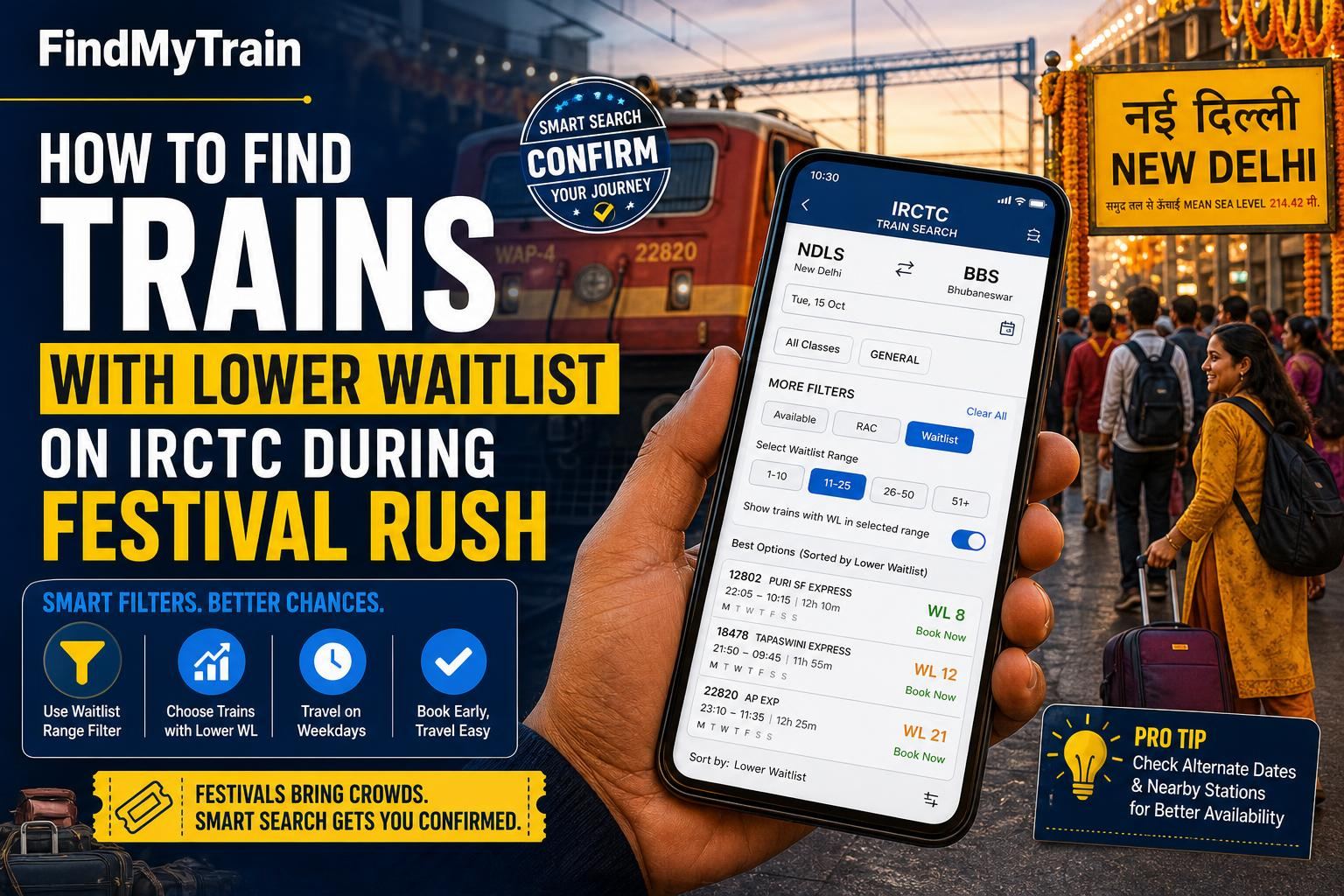
If every train on your route is showing high waitlist during a festival rush, the trick is to check alternative trains, dates, and routes directly on IRCTC, using specific filters and search tweaks. Here’s how you can quickly spot trains with lower waitlist or even available seats using the IRCTC website or app.
Start with the IRCTC 'Book Ticket' Search
Open the IRCTC app or website, tap 'Book Ticket' and enter your route, date, and class. Hit 'Find trains'. The results will show all direct trains with their current availability status—look for trains showing 'AVAILABLE' or the lowest WL (Waitlist) number.
If All Trains Show High Waitlist, Try These 5 Steps
- Check Trains on Adjacent Dates: On the results page, swipe left/right (app) or use the date arrows. Sometimes, a day before or after the festival, the waitlist drops sharply.
- Try Different Classes: Click on the class (e.g., SL, 3A, 2A). Even if Sleeper is waitlisted, AC classes or Chair Car sometimes have seats during rush.
- Modify Source or Destination: Use 'Station Between' feature. Enter stations slightly before your start or after your end point. Some trains have quotas for intermediate stations, which often have lower waitlist.
- Look for Special and Festival Trains: Tap 'Filters' and select 'Special' or 'Festival Special'. These are added just for peak seasons and are less known, so seats fill more slowly.
- Use 'Flexible With Date' Option: Tick this box before searching. IRCTC will show you trains for a range of dates with the best availability in a grid view.
Table: Where Waitlist Usually Moves Fastest
| Train Type | Typical Waitlist Movement (Festival Period) | Tip |
|---|---|---|
| Festival Special | Fast (WL clears often) | Check 'Special' filter |
| Holiday/Weekly Special | Medium | Run for limited days, less known |
| Regular Superfast | Slow | Popular, fills first |
| Passenger/Express (short distance) | Varies | Last-minute seats sometimes open |
| AC 2-Tier/1st Class | Faster | Higher fare, fewer bookers |
| Sleeper/3AC | Slowest | Most crowded during festivals |
What to Do if Every Train is Waitlisted
- Check for Tatkal Availability: Tatkal booking opens at 10 AM (AC classes) and 11 AM (Sleeper) one day before departure. These seats are separate from general quota. See detailed Tatkal booking tips.
- Search for Split Ticket Options: Book two separate tickets: one for part of the journey, and another for the rest. Sometimes there’s a waitlist only on one segment.
- Monitor Cancellations: Keep refreshing the seat availability page. During the last 48 hours, many passengers cancel or upgrade, freeing up seats.
- Consider Nearby Stations: Select a different boarding or destination station. For example, for Delhi–Patna, try Anand Vihar instead of New Delhi, or Patliputra instead of Patna Jn.
- Check Live Status: For last-minute travel, use the Live Train Status to see if any trains are running late—you might catch a seat on a delayed train last minute at the station.
How to Spot Lower Waitlist Numbers Quickly on IRCTC
On IRCTC's train list, look for the 'WL' number next to class—for example, 'WL 8' is much better than 'WL 52'. Trains with numbers below 15 are most likely to confirm before the journey, especially if you book early in the festival window.
Tap 'Availability for Other Dates' to see a week’s worth of data at a glance. This is the fastest way to compare which day has the lowest waitlist for your route.
If You’ve Already Booked High Waitlist: What Are Your Odds?
General rule: WL up to 10 often confirms for major festival routes, up to 25 for less popular ones. Over 40 rarely clears in Sleeper or 3AC during Diwali, Chhath, or Holi. Use PNR Status to check your current status daily.
If your waitlist remains high two days before departure, check refund options or book an alternative immediately. See refund rules for waitlisted e-tickets.
How to Catch Newly Released Trains and Seats
- Follow IRCTC and zonal railway social media handles; new festival special trains are announced here first.
- Refresh the IRCTC search frequently, especially late night and early morning—new trains and extra coaches are often added at odd hours.
- Use the 'Special Trains' filter under journey options every day during the festival window.
Extra Tips for Booking During Peak Festival Dates
- Booking opens 60 days before the journey for most trains. For festival specials, the window might be shorter—watch out for announcements.
- If booking for a group, split the booking if the waitlist is high. Sometimes smaller groups get confirmed faster.
- Check for Premium Tatkal, which opens at the same time as regular Tatkal, but with dynamic pricing and a separate quota.
- List yourself in the 'Current Booking' (after chart preparation, at the station) if you’re desperate—sometimes last-minute seats are released.
For all official bookings, always use irctc.co.in or the IRCTC app. For more on booking through the official website, see this guide.
Frequently Asked Questions
What is the best time to book trains for Diwali or Chhath festival?
Booking opens 60 days before the journey date for most regular trains. For festival specials, booking may open closer to the date—watch announcements and check IRCTC daily.
Is Tatkal booking a good option if regular tickets are waitlisted?
Yes, because Tatkal uses a separate quota and opens at 10 AM (AC classes) and 11 AM (Sleeper) one day before departure. Seats fill in seconds, so be ready to book the moment it opens.
Do festival special trains have lower waitlists?
Often yes, especially in the first few days after they are announced, because many passengers don’t know about them yet. Use the 'Special Trains' filter on IRCTC.
How can I check if my waitlist will clear?
Waitlists under 10 have a higher chance, especially in festival specials or AC classes. Check your <a href="/guides/pnr-status">PNR status</a> daily and monitor cancellations.
What happens if my waitlisted e-ticket does not get confirmed?
If booked online and still waitlisted after charting, your ticket is cancelled automatically and you get a refund under standard <a href="/guides/refund-rules">refund rules</a>.