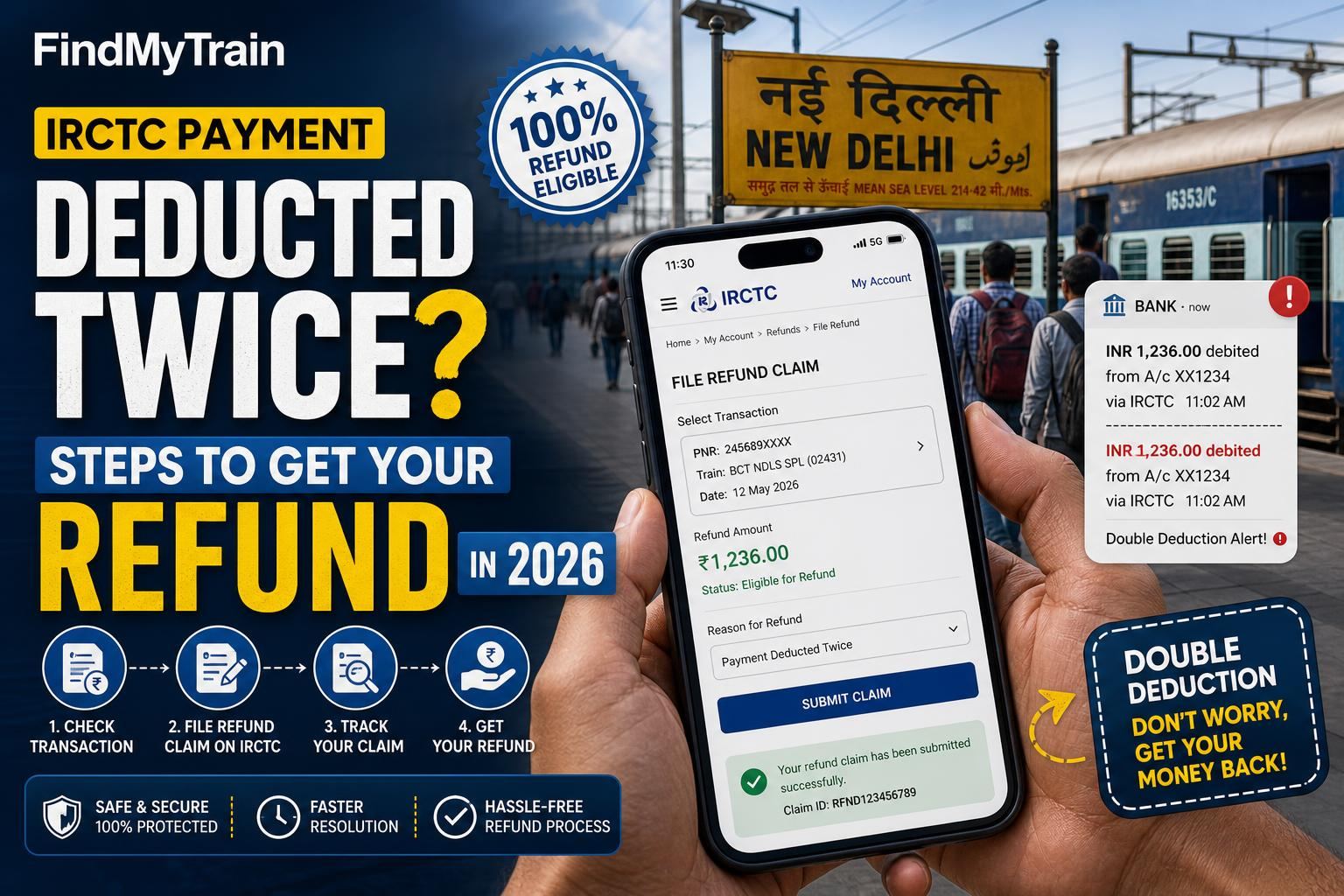
If IRCTC or your bank has deducted payment twice for a single train ticket, you do not need to panic. Refunds for duplicate payments are automatic, but you can speed things up or escalate if needed. Here’s what actually works right now.
Check Your IRCTC Booking History and Email for Confirmation
First, check if you actually have two bookings (rare, but possible). Open the IRCTC app or website and tap My Bookings. If you see only one new PNR for this journey, you’ve only got one booking—meaning the second payment is an unlinked duplicate.
Also check your email and SMS for booking confirmations, including failed/partial booking alerts. If you see “Booking Failed, Payment Received” or similar, your refund is in process by default.
How IRCTC Handles Double Payments: The Official Process
- If IRCTC gets two successful payments for the same booking, but only one ticket is issued, the extra amount is automatically refunded to your original payment method.
- This usually takes 3–7 business days for UPI, netbanking or credit/debit cards. Wallets can be a bit faster.
- No manual application is needed unless the refund is delayed beyond a week.
Step-by-Step: What to Do Right Now on IRCTC
- Open the IRCTC app or website and log in.
- Go to My Account > My Transactions > Ticket Refund History.
- Look for the date and amount of your failed/duplicate transaction. You will see refund status like Refund Initiated or Refund Successful.
- If it shows as Refund Successful but your bank hasn’t credited the money, wait one more working day, then check your bank statement or wallet statement.
- If it says Refund Initiated for more than 7 business days, move to the next section.
If the Refund Has Not Arrived in 7 Days: Escalate Here
- First, take a screenshot of both your IRCTC refund status and your bank/wallet statement showing no credit.
- Raise a complaint online: On the website/app, go to Help > Customer Support > File Ticket. Choose “Refund Not Received” as the issue, and enter all details, including Transaction ID, date, and screenshots.
- For urgent cases, email [email protected] with subject “Refund Not Received – Double Deduction,” attach all evidence and mention your registered mobile and user ID.
- You can also tweet to @IRCTCofficial with your ticket number after raising it online. Do not share sensitive payment details on public posts.
How to Find Your Transaction ID, Date, and Amount
- On the IRCTC app/website: Go to My Transactions > Failed Transactions. Your double payment will be listed with the Transaction ID and timestamp.
- Bank SMS/UPI app: The transaction will appear with a unique reference code, amount, and usually “IRCTC” or “Indian Railways” in the description.
- Match both to confirm it’s the same payment and attach both records if emailing support.
Refund Timelines by Payment Method (2026)
| Payment Method | Normal Refund Time | Escalation Needed After |
|---|---|---|
| UPI | 1–3 business days | After 5 days |
| Debit/Credit Card | 3–7 business days | After 7 days |
| Netbanking | 2–5 business days | After 7 days |
| Wallet (Paytm, Amazon Pay, etc.) | 1–2 business days | After 3 days |
If Money Deducted but No Booking or Failed Transaction Listed
This happens if the payment gateway crashed or you lost connectivity. Check your bank statement and IRCTC Failed Transactions for any matching entry. If nothing shows on IRCTC, contact your bank’s customer care and mention the UPI/transaction ID. Most banks reverse such orphan payments within 3–7 days. If not, escalate to IRCTC with all details.
What Not to Do: Avoid These Mistakes
- Do not try to book again immediately with the same payment method if you see a deduction and no booking—wait for refund or error resolution first, or you risk further duplicate payments.
- Don’t raise multiple tickets for the same issue; this slows down the process.
- Never share OTPs, CVV, or full card numbers with anyone claiming to be IRCTC support.
If You Still Don’t Get a Refund: Final Escalation Options
- Wait for the official IRCTC response to your complaint (usually within 2–4 working days).
- If unresolved for over 2 weeks, file a complaint with the Railway Ombudsman or use the National Consumer Helpline (https://consumerhelpline.gov.in/).
- Attach all previous complaint numbers, screenshots, and transaction details for faster redressal.
If your ticket itself was never booked and you only see a failed transaction, your refund is handled as per IRCTC refund rules. Always double-check on irctc.co.in for the latest status and escalation channels.
Frequently Asked Questions
How long does it take to get a refund for double payment on IRCTC?
Most refunds appear within 3–7 business days, depending on your payment method. UPI and wallets are fastest. If you don’t see a refund in a week, escalate.
Do I need to apply for a refund if payment was deducted twice but only one ticket is booked?
No. IRCTC refunds duplicate payments automatically. You only need to raise a complaint if the refund does not appear within the normal timeline.
Where can I check the status of my IRCTC refund?
Go to My Account > My Transactions > Ticket Refund History on the IRCTC app or website. Check for your transaction’s refund status there.
What if my payment is deducted but no booking or failed transaction shows on IRCTC?
Contact your bank with the transaction ID. If the amount isn’t reversed in 7 days, email IRCTC support with both your bank and IRCTC details.
Is there a customer care number for IRCTC refund issues?
You can call 139 from your mobile for general queries, but for double payment refunds, submitting a ticket on the IRCTC website/app or emailing [email protected] works faster.